The FUNLAB Luminpad is a wireless gripcon controller for the Nintendo Switch. It aims to offer a more comfortable experience for holding the console and playing in handheld mode, along with several extra features, all at a lower price than the official Joycons or Pro controller.
Switch On
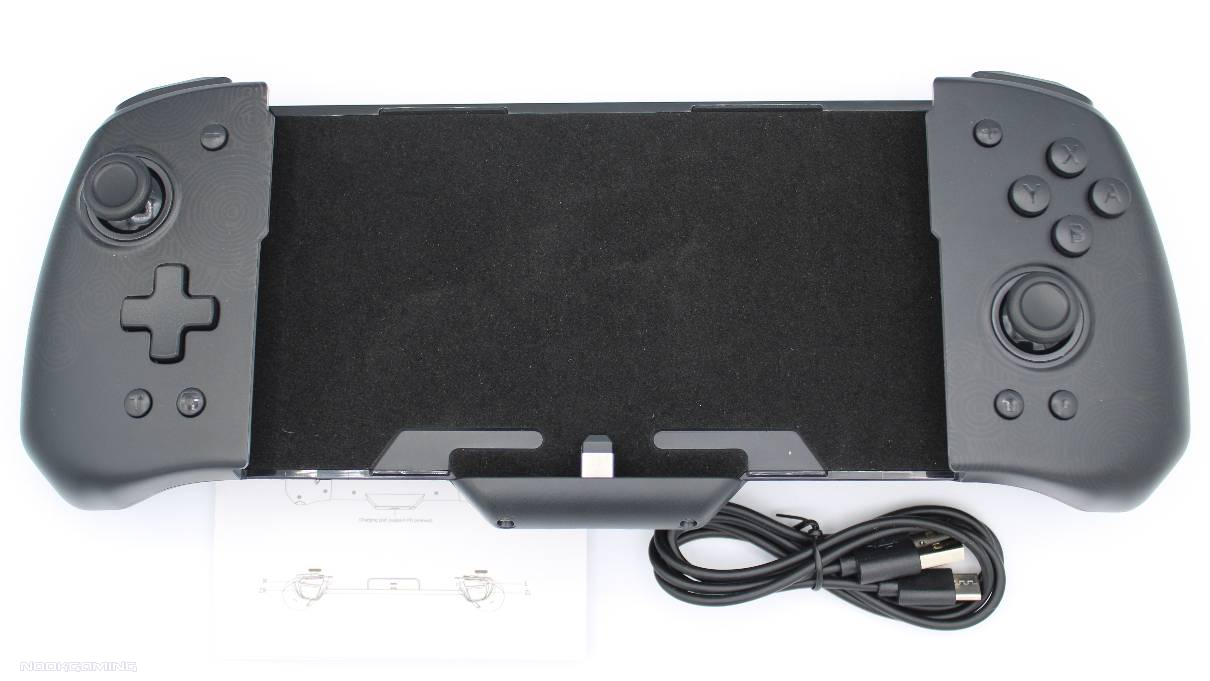
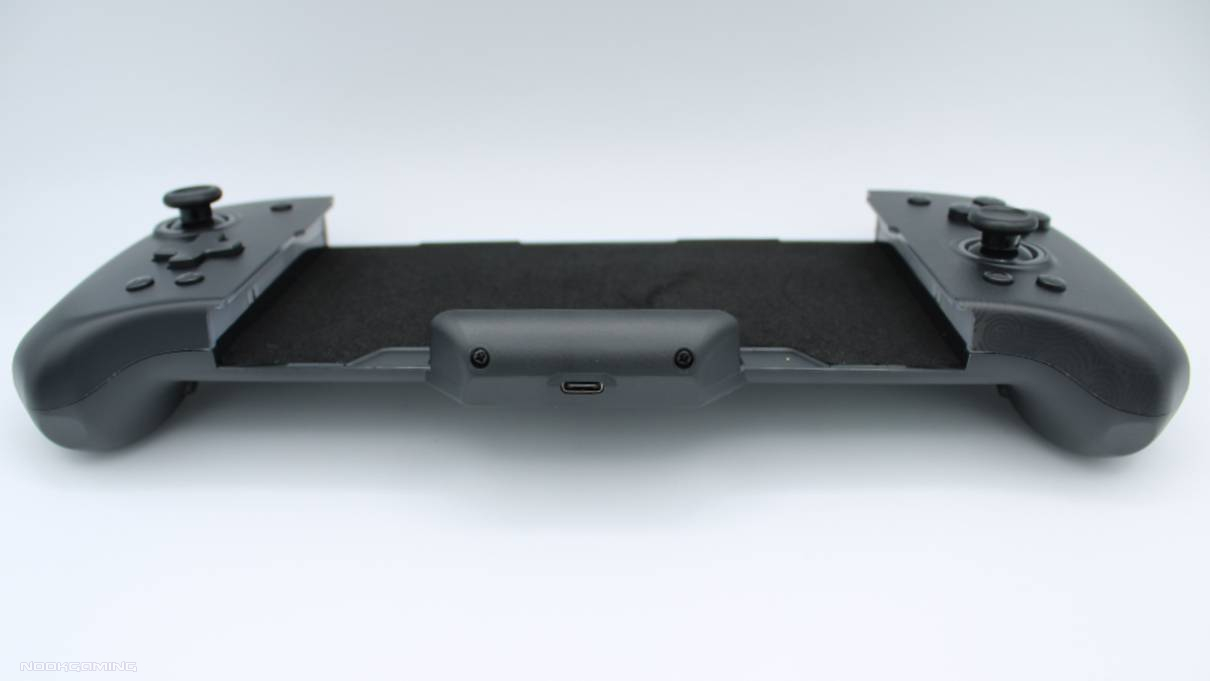
Setting up the FUNLAB Luminpad took about 10 seconds. It’s just a case of taking the joycons off from the Nintendo Switch console, and then sliding it into the FUNLAB Luminpad. There’s a USB-C device that needs to be lined up with the port on the console when sliding it in, which was easy enough of a process. It then connected up and worked without going through any menus or pairing. Nice and easy, which is always a good thing.
Due to the physical connection, the controller connects immediately. This is appreciated since the wireless connection on the Switch does take a while sometimes.
While I can’t test how long it’ll last over the years, my first impressions are that the quality is quite good for the price. It doesn’t feel quite as solid as the PlayStation 5 or XBox controllers, but the build quality appears to be good and all the components are responsive.
One small downside of the controller is that you can’t open the cover on the game port to change games without taking it out of the controller, as the controller blocks the slot.
Comfortable Gaming
I’ve never found using the Nintendo Switch in handheld mode too comfortable. I’ve got relatively big hands, and the joycons are tiny which doesn’t help. So I was curious to see if the FUNLAB Luminpad gripcon was a better experience.
It did take some getting used to. The FUNLAB Luminpad is significantly bigger than the official joycons, effectively making it a wider handheld console. This meant adjusting how I held it. In exchange though, the shape fits into my hands far better with the curved back, like a more typical game controller.
The analog sticks are slightly bigger and much taller than those on joycons, leading to great accuracy. The buttons are bigger and deeper too, which I find easier to use, and they provide better feedback on whether I’ve successfully pressed it in than joycons. It’s more or less equal to a Nintendo Pro controller, though I prefer the Luminpad as the buttons give a more tactile response. There are some further advantages too, such as the home and screenshot buttons being much taller and easier to press. A convenient screenshot button is a huge help for me as someone who reviews games.
There’s a slight texture on the back making it easier to grip, which is a nice bonus. It’s not as helpful as the actual rubber coating on some pricey custom controllers, but it’s good for a controller at this price point.
The layout of the buttons is comfortable to use for most games. This includes the extra buttons, though switching between the analog stick and the macro button isn’t the fastest. It’s more convenient when using games where the D-pad is more frequently used.
Extra Features
Similar to many other third-party options, the FUNLAB Luminpad is missing the amiibo function. In exchange though, it does come with quite a few other features.
There are two macro buttons on the back which can be set to use a sequence of up to 24 buttons. These are easy to set up and really useful. Whether it’s simplifying navigating to a healing potion through a few menus or pulling off a combo, it can be done in one click. I’ve mostly been using this on Hyrule Warriors just to make some of my most common attack patterns easier to use.
There’s a Turbo button too, which can be assigned to repeatedly press the same button, either when holding the button down or automatically after a press. The speed can be set too. It makes those games where you need to spam one button repeatedly less tedious.
Vibration is customizable too. It’s quite easy with a button on the back letting you switch between 100%, 75%, 50%, 25% and 0% options.
While this isn’t an extra feature as such, it is worth noting that it does include motion tracking. Not all third-party controllers include this. On testing it worked well and accurately tracked motion, so there’ll be no issues if this is your preferred control method for Mario Kart or similar games. The Funlab Luminpad is a gripcon and holds the console though, so anything that requires separate joycon controls like punching in Fitness Boxing Fist of the North Star understandably isn’t an option.
Appearance
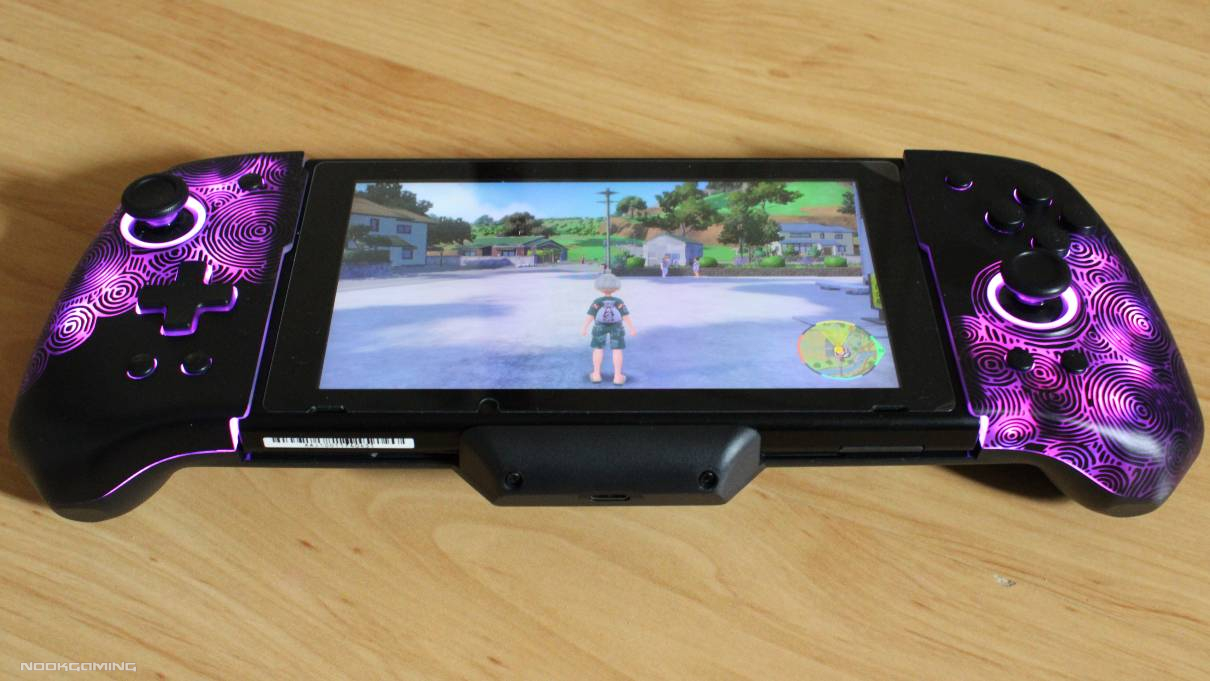
Of course, the most obvious feature of the FUNLAB Luminpad is in the ‘lumi’ part of the name. It has a design that lights up in seven colors; red, yellow, blue, green, purple, orange, and pink. This can either be on constantly, pulsing through all of the colors in a breathing pattern, or off. and the brightness can be adjusted.
Setting the color and mode is simple. It’s just a case of pressing or holding a button. Brightness is adjusted with the D-Pad. It’s simple enough that it’s all explained on the box.
When turned off, it looks almost like a solid black controller. The design is very subtle and I could only see it by looking at an angle in the light. The pattern is designed back on the Zonai from The Legend of Zelda: Tears of the Kingdom and when set to green, the color scheme nicely matches the series. There is a white option too, but no other designs for the Luminpad, unlike some of their other models.
It has a nice range of colors and the design itself looks great. The background light nicely highlights around the buttons too, particularly the ring around the analog sticks.
Verdict
With an attractive design, a comfortable form, and a good variety of features, the FUNLAB Luminpad is a great way to play the Nintendo Switch in handheld mode. There are a few improvements I’d like to see, such as making switching games easier and adding amiibo function, but what you get is more than fair considering the reasonable price point.
FUNLAB LUMINPAD IS RECOMMENDED

Purchase: Funlab Website
FunLab has set up a 15% off discount code for our readers: NOOKGAMING15 – this should apply to all products if you enter it at the checkout.
Looking for another controller? Why not check out the Nacon Pro Compact?
Many thanks go to Funlab for providing a review unit for the FUNLAB Luminpad.

A gamer since the days of Amstrad and DOS and someone who has dabbled in a variety of professions. He enjoys a wide variety of genres, but has been focusing on visual novels and virtual reality in recent years. Head Editor of NookGaming. Follow him and the website on @NookSite.